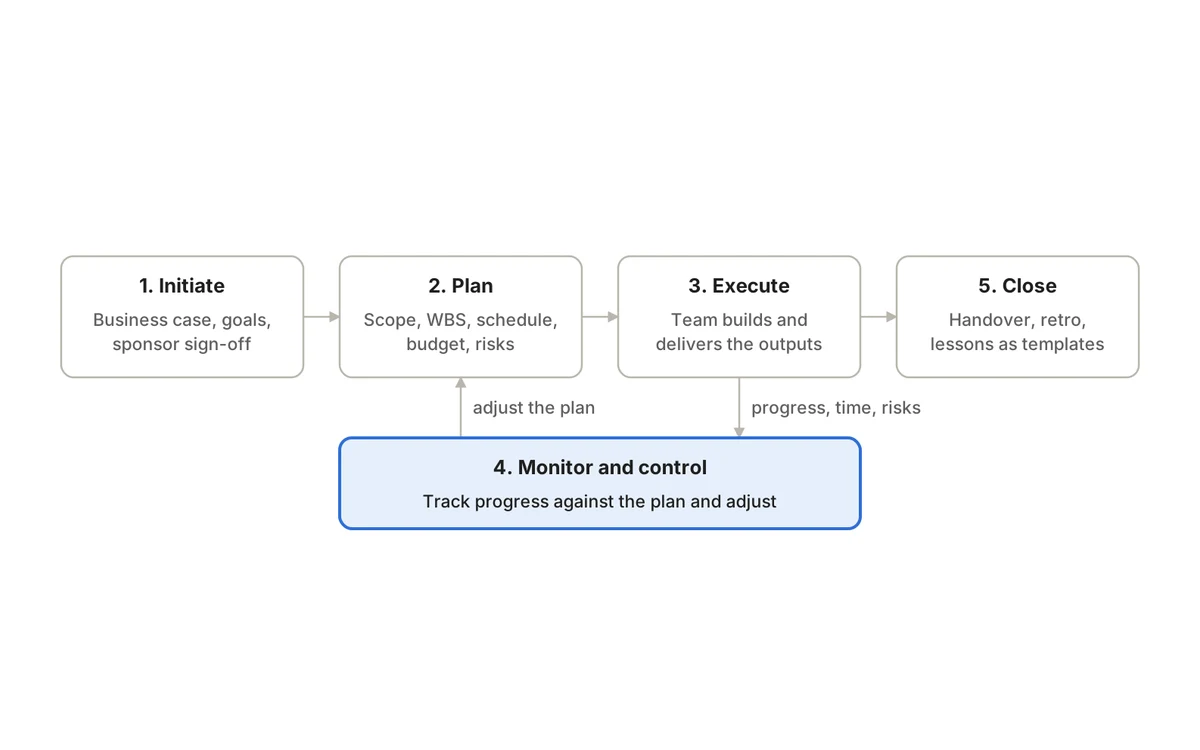
Project management for software development is the work of turning a product goal into shipped, working software while requirements, priorities and technical realities keep moving. It connects the why (the user or business outcome), the what (a ranked backlog), the how (sprints or continuous flow, code review, testing) and the proof (releases, quality signals and honest status).
Software projects punish both extremes. A plan that fixes every detail at kickoff is out of date within weeks; a team that says “we’re Agile” and skips ownership, acceptance criteria and release discipline ships late in a different way. This guide covers the practices that sit between those extremes, with examples from a SaaS product team, an IT services firm building for clients and an internal platform team.
What makes software projects different
- Requirements are discovered, not just gathered. Users often only know what they want once they see something working.
- Work is hard to estimate. Similar-looking tasks can differ wildly because of hidden technical debt or an unfamiliar API.
- Dependencies are technical as well as organizational: other services, third-party APIs, infrastructure, security reviews and data migrations.
- Quality is invisible until it isn’t. Defects that escape to production cost far more to fix than ones caught in review.
- Delivery is continuous. Many teams release weekly or daily, so “the project” is often a stream of increments rather than one launch.
These traits are why most software teams use an iterative approach. The general principles in our complete guide to project management still apply; the rhythm is just shorter and the feedback loops tighter.
The software delivery lifecycle at a glance
Discover
- Key question
- Which problem are we solving, and for whom?
- Output
- Outcome, success measure, rough scope
Define
- Key question
- What does done look like?
- Output
- Epics, stories, acceptance criteria
Plan
- Key question
- What will we do next, and in what order?
- Output
- Ranked backlog, sprint or flow plan
Build
- Key question
- Are we building it right?
- Output
- Code, reviews, automated tests
Verify
- Key question
- Does it work for users and edge cases?
- Output
- Test runs, defects, release decision
Release
- Key question
- Can we ship safely and recover if not?
- Output
- Deployment, release notes, monitoring
Learn
- Key question
- What happened, and what will we change?
- Output
- Metrics, retrospective actions
| Stage | Key question | Output |
|---|---|---|
| Discover | Which problem are we solving, and for whom? | Outcome, success measure, rough scope |
| Define | What does done look like? | Epics, stories, acceptance criteria |
| Plan | What will we do next, and in what order? | Ranked backlog, sprint or flow plan |
| Build | Are we building it right? | Code, reviews, automated tests |
| Verify | Does it work for users and edge cases? | Test runs, defects, release decision |
| Release | Can we ship safely and recover if not? | Deployment, release notes, monitoring |
| Learn | What happened, and what will we change? | Metrics, retrospective actions |
Start with an outcome, not a feature list
A feature list describes possible work. An outcome explains why the work matters and gives you a way to decide what to cut. Compare “build saved cards, Apple Pay and address autocomplete” with “reduce checkout drop-off on mobile, measured by completed orders per session”. The second lets the team ask, mid-sprint, whether address autocomplete is still the best use of the remaining days.
For each initiative, write down the problem, the people affected, the measure of success and the constraints (deadline, budget, compliance). Keep it to a page. That page becomes the reference point for every prioritization argument that follows.
Choose a delivery rhythm: Scrum, Kanban or a hybrid
The Scrum Guide describes sprints as fixed-length events of one month or less, each starting with planning around why the sprint is valuable, what can be done and how. The Kanban Guide instead defines Kanban as a strategy for optimizing the flow of value, built on explicitly limiting work in progress and tracking flow measures such as cycle time and throughput.
Product team building features against a roadmap
- Usually fits
- Scrum
- Why
- Regular planning and review keep stakeholders aligned
Platform or support team with unpredictable incoming work
- Usually fits
- Kanban
- Why
- Work can be pulled as capacity frees up
Client delivery with fixed milestones
- Usually fits
- Hybrid
- Why
- Sprints inside a milestone plan agreed with the client
Regulated release with formal sign-off
- Usually fits
- Hybrid
- Why
- Iterative build, staged verification and approval
| Situation | Usually fits | Why |
|---|---|---|
| Product team building features against a roadmap | Scrum | Regular planning and review keep stakeholders aligned |
| Platform or support team with unpredictable incoming work | Kanban | Work can be pulled as capacity frees up |
| Client delivery with fixed milestones | Hybrid | Sprints inside a milestone plan agreed with the client |
| Regulated release with formal sign-off | Hybrid | Iterative build, staged verification and approval |
Pick one, run it for a few cycles, and adjust. Our guides to Kanban vs Scrum and Agile vs Waterfall go deeper on the trade-offs.
Turn requirements into a workable backlog
Break each outcome into a hierarchy the whole team understands: epics for large outcomes, stories for user-visible slices, tasks or subtasks for implementation steps, and bugs for defects. A good story is small enough to finish within a sprint and states who benefits and how you will know it works.
- Acceptance criteria. Concrete, testable conditions such as “a saved card can be removed from the account page and no longer appears at checkout”.
- Definition of done. The Scrum Guide calls it a formal description of the state of the increment when it meets the quality measures required for the product. Typical items: code reviewed, tests passing, docs updated, deployed to staging.
- Refinement. Regularly break down and clarify upcoming items so sprint planning is about choosing work, not discovering it.
- Linked decisions. Keep the spec, API decision or design note attached to the work it shapes, so nobody has to hunt through chat history.
For ranking methods and pruning stale items, see our backlog management guide.
Plan sprints and estimates honestly
Plan against real capacity, not headcount. A six-engineer team with one person on call, one on leave for half the sprint and recurring support duties does not have six engineers’ worth of feature time. Subtract the known commitments first, then select work.
Estimate at the level that supports decisions. Story points or simple size buckets help a team judge whether a sprint is realistic; they are not promises and they are not comparable between teams. When a dependency slips or a story turns out to be twice the size, update the forecast and tell stakeholders early. Our sprint planning guide walks through a full planning session.
Build quality into the sprint
Testing left to the last days of a release is the most common cause of late surprises. Instead, include test design, code review, automated tests, exploratory testing and defect triage inside each sprint, and count a story as done only when it meets the definition of done.
A useful guide for balancing automated tests is the test pyramid. In The Practical Test Pyramid, Ham Vocke recommends pushing tests as far down the pyramid as you can: many fast unit tests, fewer integration tests, and only a small number of slow end-to-end tests. Link every defect to the story or requirement it affects, so delivery and quality status are visible together. Our test management guide covers test cases, runs and release criteria in detail.
Connect code to the work
Engineers live in their code host; project managers live in the tracker. Bridge the two so status updates itself:
- Include the work-item key in branch names and pull request titles so the link is automatic.
- Let merged pull requests move work forward rather than relying on someone to drag a card.
- Feed automated test results back to the work items they cover.
- Group shipped work into releases or versions with release notes, so support and sales know what changed.
Manage dependencies, risks and releases
External APIs, infrastructure changes, security reviews, data migrations and customer approvals can each stop a release. Identify them during planning, give each an owner and a readiness date, and make blocked-by links visible on the board. Treat the riskiest unknowns as early spikes rather than late surprises, and keep a short risk list that is reviewed at every planning session.
A release checklist scaled to the risk of the change keeps shipping predictable:
- Release criteria met: critical tests passed, no open high-severity defects, known issues accepted by an owner.
- Rollback or feature-flag plan tested.
- Monitoring and alerts in place for the changed areas.
- Data migrations rehearsed on a copy of production data.
- Release notes and support briefing ready.
- Stakeholders told what is shipping and when.
Measure what matters
Ticket counts and velocity tell you how busy a team is, not how well it delivers. DORA’s research program now describes five software delivery performance measures:
Change lead time
- What it tells you
- How long a change takes from commit to running in production
Deployment frequency
- What it tells you
- How often you deploy
Failed deployment recovery time
- What it tells you
- How quickly you recover when a deployment fails
Change fail rate
- What it tells you
- Share of deployments needing immediate intervention
Deployment rework rate
- What it tells you
- Share of deployments that are unplanned, caused by production incidents
| Measure | What it tells you |
|---|---|
| Change lead time | How long a change takes from commit to running in production |
| Deployment frequency | How often you deploy |
| Failed deployment recovery time | How quickly you recover when a deployment fails |
| Change fail rate | Share of deployments needing immediate intervention |
| Deployment rework rate | Share of deployments that are unplanned, caused by production incidents |
Pair these with flow measures from the Kanban Guide, such as work item age and cycle time, and with quality signals such as defects found after release. Use velocity only for a team’s own sprint forecasting, never to compare teams. See DORA’s guide to the metrics for definitions and how to collect them.
Keep status factual and actionable
A useful weekly update for a software project fits on one screen:
- Outcome progress: what shipped and what it changed for users.
- Next priorities for the coming sprint or week.
- Blocked work, with owner and the decision needed to unblock it.
- Quality: open high-severity defects, test results for the next release.
- Risks and forecast changes, with the reason.
- Decisions needed from stakeholders, with a date.
Avoid reporting only the number of tickets closed: a team can close forty small tasks while one critical integration stays blocked. Our status report template gives you a ready-made format.
Three teams, three setups
A SaaS product team
Eight engineers, a designer, a QA engineer and a product manager working on a mobile checkout. They run two-week sprints, keep the spec and API decisions next to the epic, run a regression test cycle before each release and track change lead time and change fail rate. The product manager’s weekly update leads with the conversion measure, not the burndown.
An IT services firm building client apps
A 60-person firm runs several client projects at once. Each project has sprints inside a milestone plan agreed with the client. Engineers log hours against work items, managers approve timesheets weekly, and planned versus actual hours feed both billing and the next estimate. Specs are shared with the client through read-only access, so decisions are visible without a weekly status deck.
An internal platform team
Five engineers maintaining infrastructure and internal tools for other teams. Incoming requests are unpredictable, so they use Kanban with an explicit work-in-progress limit, a separate lane for incidents and a weekly review of work item age. Larger migrations are planned as epics with dependencies on the product teams they affect.
Common mistakes
- Treating the backlog as a dumping ground instead of a ranked, refined list.
- Planning sprints at 100% of capacity, leaving no room for support, reviews or surprises.
- Letting “done” mean “merged” rather than tested, documented and releasable.
- Keeping specs, test results and time data in separate tools nobody cross-checks.
- Retrospectives that produce long lists and no owned actions.
- Reporting activity (tickets closed) instead of outcomes and risks.
Choosing software that supports the workflow
Map your lifecycle first, then look for a tool that connects the stages you care about: backlog and sprints or flow boards, documentation linked to work, time tracking if you bill or plan capacity, test cases and runs linked to defects, releases, search and reporting. Integration with your code host and identity provider is often essential.
QuikProjects is one option built around that connected workflow. It supports Scrum and Kanban with velocity locked at sprint close, lets merged pull requests move work items automatically, and keeps docs, timesheets with planned-versus-actual reports, and test management (cases, runs, JUnit results matched to cases, coverage and failures linked to bugs) in the same workspace. Developer integrations start on Premium; test management and timesheet approvals are on Pro. The AI Project Assistant on Premium and Pro summarizes sprints and flags risks. It is free for up to 10 users; check the current plan details before you decide.
Frequently asked questions
Do software teams still need a project manager?
Someone needs to own planning, dependencies, risks and stakeholder communication. In Scrum, much of that is shared between the product owner and the team; in larger or client-facing work, a dedicated delivery or project manager often holds it. The role matters more than the title.
Is Scrum or Kanban better for software development?
Neither in general. Scrum suits teams building toward a roadmap who benefit from regular planning and review. Kanban suits teams with unpredictable incoming work, such as platform and support teams. Many teams use sprints for planning and a Kanban-style board for daily work.
How do we stop estimates turning into deadlines?
Share forecasts as ranges with the assumptions behind them, update them when assumptions change, and separate commitments (a sprint goal, a contractual milestone) from estimates (how big an item looks today). Track how forecasts compared to reality so the next one is better.
Good software project management makes requirements, progress, quality and release status easy to see and hard to misread. Map your lifecycle, pick a rhythm, build quality in and measure outcomes. If you want sprints, docs, time and testing in one place, try QuikProjects free for up to 10 users, no credit card required.
Sources
See it running on your business.
A walkthrough built around how your team works today.