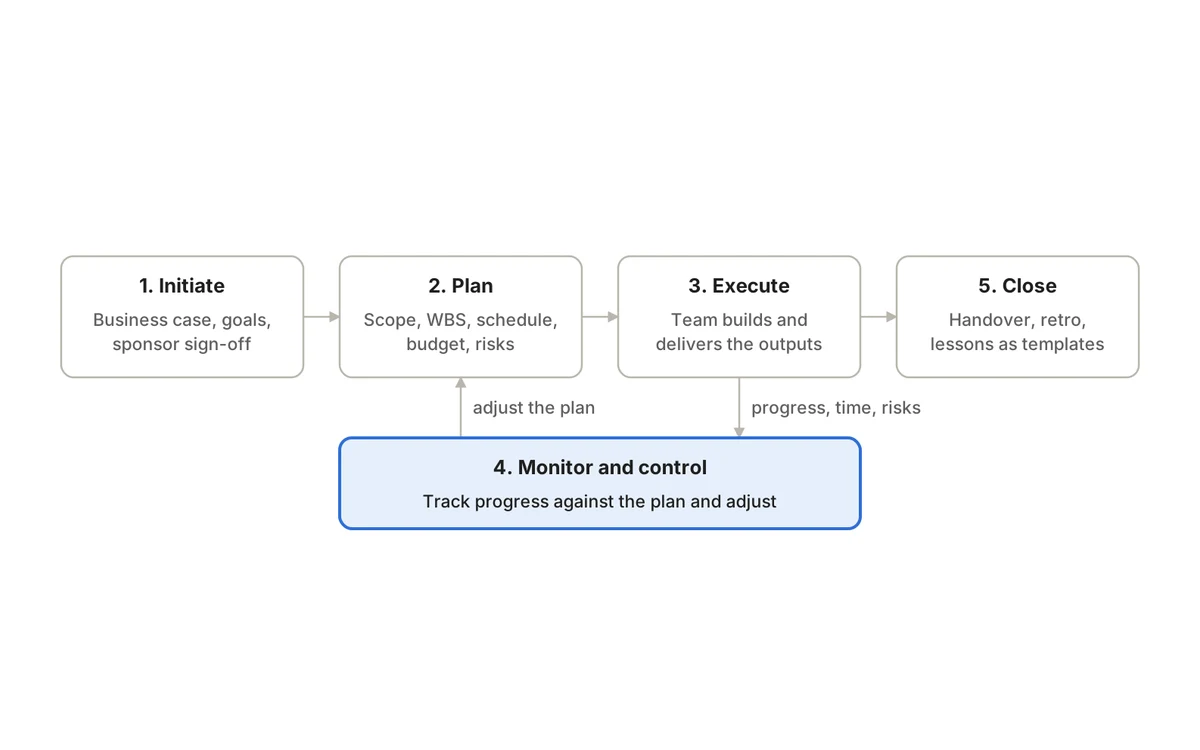
Project risk management is the practice of spotting the uncertainties that could knock a project off course, deciding which ones matter most, and preparing a response before they turn into problems. It does not mean predicting everything. It means making the biggest uncertainties visible early enough to act on them.
PMI’s long-standing definition captures the idea: a risk is “any uncertain event or condition that, if it occurs, has a positive or negative effect on a project’s objectives.” Note the word positive. Good risk management handles opportunities as well as threats.
This guide walks through the full process step by step, with a scoring matrix, response strategies for threats and opportunities, and an example risk register you can copy. It builds on the planning basics in our complete guide to project management.
Risks, issues, assumptions and dependencies
Teams often mix these up, and the confusion makes registers messy and reviews slow. Use one clear definition for each:
Risk
- What it is
- Something that may happen and would affect objectives
- Example
- The payment provider may not approve our sandbox access in time
Issue
- What it is
- Something that is happening now and needs action
- Example
- Sandbox access was refused; integration testing is blocked
Assumption
- What it is
- Something the plan treats as true but has not confirmed
- Example
- The provider’s API supports partial refunds
Dependency
- What it is
- Work or input the project relies on from someone else
- Example
- Legal must approve the new terms before launch
| Term | What it is | Example |
|---|---|---|
| Risk | Something that may happen and would affect objectives | The payment provider may not approve our sandbox access in time |
| Issue | Something that is happening now and needs action | Sandbox access was refused; integration testing is blocked |
| Assumption | Something the plan treats as true but has not confirmed | The provider’s API supports partial refunds |
| Dependency | Work or input the project relies on from someone else | Legal must approve the new terms before launch |
The relationships matter. An unvalidated assumption is a risk source: validate it early or log the risk. A dependency on another team is a common risk. And when a risk occurs, it becomes an issue with an owner and a deadline, not a line that quietly stays in the register.
Step 1: Decide how much risk management the project needs
A two-week internal content refresh does not need a formal risk plan. A multi-vendor ERP rollout or a regulated product launch does. Agree up front:
- Who owns the risk process (usually the project manager) and who attends reviews.
- The scoring scale everyone will use, with plain-language definitions.
- Thresholds: what score requires an active response, and what must be escalated to the sponsor.
- Review cadence, typically weekly or per sprint for active delivery, and at every phase gate.
- Where the register lives. It should be next to the plan and the work, not in a forgotten file.
A one-paragraph risk approach in the project plan is enough for most small and mid-sized projects. Our guide on how to create a project plan shows where it fits.
Step 2: Identify risks
Run a short identification session at kickoff with the people doing the work, not just managers. Walk through each milestone and ask: what could stop us reaching this, and what could help us reach it sooner? Then prompt with categories so nothing obvious is missed:
- Scope and requirements: unclear acceptance criteria, late changes, conflicting stakeholder priorities.
- Schedule and dependencies: suppliers, other teams, approvals, environment availability.
- People and capacity: key-person dependency, competing projects, holidays, hiring delays.
- Technical: new technology, integrations, performance, data migration quality.
- Security, privacy and compliance: data handling, audits, regulatory sign-off.
- Commercial: budget cuts, exchange rates, contract terms, vendor pricing changes.
- Adoption: users who will not change their habits, training gaps, weak sponsorship.
Checklists from past projects help, but PMI’s review of common risk mistakes warns against relying on them alone, because they make teams complacent about risks the checklist never covered.
Write each risk as cause, event and impact
Vague entries such as “resources” or “timeline” cannot be managed. A useful format, cited in the same PMI paper, is a single sentence:
Due to [cause], [risk event] could occur, resulting in [impact].
- Weak: “Vendor risk.”
- Strong: “Due to the hardware supplier’s current backlog, delivery of the site servers could slip past 15 March, resulting in a two-week delay to the data center cut-over.”
The cause is a fact. The event is the uncertain part. The impact is what it would do to your objectives. Separating them tells you where to act: on the cause (to make the event less likely) or on the impact (to soften the blow).
Step 3: Assess likelihood and impact
Score each risk on two dimensions, using a scale the team understands. A 1–5 scale for each is common; multiply them for a score from 1 to 25. Define each level in plain terms so two people would score the same risk similarly:
1 Very low
- Likelihood
- Very unlikely in this project
- Impact (example definitions)
- Negligible; absorbed within the team
2 Low
- Likelihood
- Could happen, not expected
- Impact (example definitions)
- Minor slip (< 1 week) or cost within contingency
3 Medium
- Likelihood
- About as likely as not
- Impact (example definitions)
- Milestone slips 1–3 weeks or noticeable cost increase
4 High
- Likelihood
- More likely than not
- Impact (example definitions)
- Key milestone or budget at risk; sponsor decision needed
5 Very high
- Likelihood
- Almost certain unless we act
- Impact (example definitions)
- Project objective, safety or compliance seriously threatened
| Score | Likelihood | Impact (example definitions) |
|---|---|---|
| 1 Very low | Very unlikely in this project | Negligible; absorbed within the team |
| 2 Low | Could happen, not expected | Minor slip (< 1 week) or cost within contingency |
| 3 Medium | About as likely as not | Milestone slips 1–3 weeks or noticeable cost increase |
| 4 High | More likely than not | Key milestone or budget at risk; sponsor decision needed |
| 5 Very high | Almost certain unless we act | Project objective, safety or compliance seriously threatened |
Then use the score to set a priority band:
15–25
- Priority
- High
- Expected handling
- Active response, named owner, reviewed every cycle, on the status report
8–14
- Priority
- Medium
- Expected handling
- Response planned, trigger defined, reviewed regularly
1–7
- Priority
- Low
- Expected handling
- Monitor; accept unless the picture changes
| Risk score (L × I) | Priority | Expected handling |
|---|---|---|
| 15–25 | High | Active response, named owner, reviewed every cycle, on the status report |
| 8–14 | Medium | Response planned, trigger defined, reviewed regularly |
| 1–7 | Low | Monitor; accept unless the picture changes |
Avoid false precision. A score of 12 versus 10 is not meaningful; the band is. Also look beyond the number: a risk with moderate likelihood and severe, irreversible impact (a data breach, a safety incident, a regulatory fine) may deserve more attention than a likely but trivial one. Larger programs sometimes add quantitative analysis such as Monte Carlo simulation, but most teams get most of the value from a well-run qualitative register.
Step 4: Choose a response and an owner
Every high and medium risk needs one owner, a person rather than a team, who watches it and coordinates the response. PMI’s guidance has long listed separate response strategies for threats and opportunities:
Avoid
- What it means
- Change the plan so the risk cannot occur
- For opportunities
- Exploit
- What it means
- Act to make sure the opportunity happens
Transfer
- What it means
- Shift the impact to a third party (contract, insurance)
- For opportunities
- Share
- What it means
- Partner with someone better placed to realize it
Mitigate
- What it means
- Reduce likelihood or impact
- For opportunities
- Enhance
- What it means
- Increase likelihood or positive impact
Accept
- What it means
- Do nothing now; hold contingency
- For opportunities
- Accept
- What it means
- Take it if it comes, without active effort
| For threats | What it means | For opportunities | What it means |
|---|---|---|---|
| Avoid | Change the plan so the risk cannot occur | Exploit | Act to make sure the opportunity happens |
| Transfer | Shift the impact to a third party (contract, insurance) | Share | Partner with someone better placed to realize it |
| Mitigate | Reduce likelihood or impact | Enhance | Increase likelihood or positive impact |
| Accept | Do nothing now; hold contingency | Accept | Take it if it comes, without active effort |
In practice, also decide when to escalate. If the response needs budget, scope or authority beyond the project team, raise it with the sponsor rather than carrying it silently.
Two more elements make a response real. A trigger is the observable signal that the risk is materializing, such as “access not granted by 10 June” or “two consecutive sprints below 80% of planned points”. A contingency plan is what you will do if it happens anyway. PMI’s paper calls out “calling risk response planning mitigation” and skipping contingency plans as frequent mistakes; a mitigation reduces the odds, a contingency limits the damage.
Finally, if the response requires work, create that work as tasks in the plan with owners and due dates. A mitigation that exists only in the register will not happen.
Example risk register
Here is a register for a mid-sized SaaS project: replacing an in-house billing system with a third-party payment platform, with a marketing launch attached. It mixes technical, people, commercial and adoption risks, plus one opportunity.
R1. Provider sandbox access pending → integration testing starts late → launch slips 2–3 weeks
- L × I = score
- 4 × 4 = 16 High
- Owner
- Tech lead
- Response
- Mitigate: escalate access request; build a stub API to test in parallel
- Trigger and next action
- No access by 10 Jun; stub ready by 7 Jun
R2. Only one engineer knows legacy billing → they are unavailable during cut-over → migration errors
- L × I = score
- 3 × 5 = 15 High
- Owner
- Engineering manager
- Response
- Mitigate: pair a second engineer; write cut-over runbook
- Trigger and next action
- Runbook reviewed by 20 Jun
R3. Customer data has inconsistent tax fields → migration rejects records → invoices delayed
- L × I = score
- 3 × 4 = 12 Medium
- Owner
- Data analyst
- Response
- Mitigate: data profiling and test migration on a full copy
- Trigger and next action
- Reject rate > 1% in test run
R4. Launch email depends on legal approving new terms → approval slips → campaign moves
- L × I = score
- 3 × 3 = 9 Medium
- Owner
- Marketing lead
- Response
- Accept with contingency: send launch email without promo section
- Trigger and next action
- Terms not approved by 1 Jul
R5. Provider offers migration support credits this quarter → we take them → lower services cost
- L × I = score
- 3 × 3 = 9 Opportunity
- Owner
- Project manager
- Response
- Exploit: confirm eligibility and book support slots
- Trigger and next action
- Answer from provider by 5 Jun
R6. Customers ignore card-update request → failed payments after switch → churn
- L × I = score
- 2 × 5 = 10 Medium
- Owner
- Customer success lead
- Response
- Mitigate: in-app prompt plus three-step reminder sequence
- Trigger and next action
- Update rate < 60% one week before cut-over
| Risk (cause → event → impact) | L × I = score | Owner | Response | Trigger and next action |
|---|---|---|---|---|
| R1. Provider sandbox access pending → integration testing starts late → launch slips 2–3 weeks | 4 × 4 = 16 High | Tech lead | Mitigate: escalate access request; build a stub API to test in parallel | No access by 10 Jun; stub ready by 7 Jun |
| R2. Only one engineer knows legacy billing → they are unavailable during cut-over → migration errors | 3 × 5 = 15 High | Engineering manager | Mitigate: pair a second engineer; write cut-over runbook | Runbook reviewed by 20 Jun |
| R3. Customer data has inconsistent tax fields → migration rejects records → invoices delayed | 3 × 4 = 12 Medium | Data analyst | Mitigate: data profiling and test migration on a full copy | Reject rate > 1% in test run |
| R4. Launch email depends on legal approving new terms → approval slips → campaign moves | 3 × 3 = 9 Medium | Marketing lead | Accept with contingency: send launch email without promo section | Terms not approved by 1 Jul |
| R5. Provider offers migration support credits this quarter → we take them → lower services cost | 3 × 3 = 9 Opportunity | Project manager | Exploit: confirm eligibility and book support slots | Answer from provider by 5 Jun |
| R6. Customers ignore card-update request → failed payments after switch → churn | 2 × 5 = 10 Medium | Customer success lead | Mitigate: in-app prompt plus three-step reminder sequence | Update rate < 60% one week before cut-over |
Track a few more fields alongside these columns: date raised, current status (open, closed, realized as an issue), residual score after the response, and the date of the last review. Keep the register short enough to discuss in fifteen minutes; long tails of low-rated risks can live in a separate tab.
A risk in other kinds of projects
- Construction or office fit-out: “Due to long lead times on imported glazing, delivery could slip past the window-install date, delaying weatherproofing and all internal trades.” Response: order early, identify a local alternative.
- Agency client work: “Due to a single client approver who travels frequently, design sign-off could take over a week per round, compressing build time.” Response: agree a deputy approver and a 48-hour review window in the statement of work.
- IT infrastructure: “Due to the vendor ending support for our firewall version in Q3, we could be running unsupported equipment during the audit.” Response: avoid by moving the upgrade ahead of the audit.
Step 5: Review risks during delivery
The most common failure is treating the register as a kickoff artifact. Make it a living part of delivery:
- 1.Review the top risks at a fixed cadence: briefly in weekly team meetings or sprint planning, more fully at each phase gate.
- 2.For each risk, ask: has the likelihood or impact changed? Has the trigger fired? Is the response on track?
- 3.Add new risks as they surface. Delivery always reveals uncertainties nobody saw at kickoff.
- 4.Close risks that are no longer relevant, with a note on why. A closed risk is a lesson, not clutter.
- 5.Convert realized risks into issues immediately, with an owner, an action and a due date.
- 6.Escalate anything that exceeds the team’s authority, with a clear ask and deadline.
Report the top three to five risks in every stakeholder update, with the change since last time. Our project status report template includes a section for exactly this, and a count of high risks without an active response makes a strong entry on any project KPI dashboard.
Connect risks to the plan and the work
Risk management pays off when it changes what the team does. Concretely:
- Link each risk to the milestones, tasks and dependencies it threatens, so anyone looking at that work sees the risk.
- Track mitigation work as ordinary tasks in the backlog or schedule.
- When a risk threatens a critical dependency, show the impact on the forecast date rather than only the register score.
- Hold contingency (time or budget) that matches your risk exposure, and record when you draw on it.
- If a response changes scope, cost or dates, put it through change control so baselines stay honest.
Risk profiles shift across the lifecycle. Uncertainty about scope and feasibility dominates early; delivery, integration and adoption risks dominate later. Our overview of the five project management phases shows what to look for at each stage.
Common risk management mistakes
- Ignoring opportunities. A key person freed up early, a supplier discount or a reusable component can all improve the plan if someone acts on them.
- Logging causes or vague categories instead of specific risk events.
- Underestimating impact because nobody wants to sound pessimistic in front of the sponsor.
- Giving risks to “the team” instead of one named owner.
- Having a mitigation but no contingency, or a contingency with no trigger.
- Never closing anything, so the register grows until nobody reads it.
- Keeping the register separate from the plan, so risks never affect tasks, dates or decisions.
Where QuikProjects fits
A risk register works best when it sits in the same place as the work it affects. In QuikProjects, the timeline shows real dependencies and warns before dates collide, blocked-by links make stuck work visible, and work stuck in a status with no way out is surfaced by the workflow engine. On Premium and Pro, custom fields let you add likelihood, impact, owner and trigger to the items you use for risks, and the AI Project Assistant summarizes sprints and flags risks, for example an item blocked by an API change that is likely to slip.
AI flags are a prompt for human judgment, not a replacement for a review. Our guide to AI in project management covers where automated risk detection helps and where it does not.
Frequently asked questions
What should a risk register include?
At minimum: an ID, the risk statement (cause, event, impact), likelihood, impact and score, owner, response strategy and actions, trigger, contingency, status and last review date. Add residual score and links to affected tasks or milestones as your process matures.
How often should project risks be reviewed?
Match cadence to pace and complexity. Fast-moving delivery teams usually touch top risks weekly or every sprint; slower, longer projects may review every two weeks, with a full review at every phase gate or major change. High-rated risks should be checked every cycle.
Who is responsible for project risk management?
The project manager usually owns the process, but each risk has its own owner, typically the person closest to its cause. The sponsor owns decisions that exceed the project’s authority, such as extra budget or scope cuts.
What is the difference between mitigation and contingency?
Mitigation happens before the risk occurs, to reduce its likelihood or impact. Contingency is the pre-agreed plan you trigger if it happens anyway. Strong responses have both.
The bottom line
Effective risk management is a habit, not a document. Write specific risks, score them on a scale everyone understands, give each priority risk one owner, a response, a trigger and a contingency, and review the list as often as the project changes. Count opportunities too. Above all, connect risks to the tasks and milestones they threaten, so the register shapes decisions instead of gathering dust.
Keep risks, dependencies and the work in one place. Try QuikProjects free for up to 10 users, no credit card needed.
Sources
See it running on your business.
A walkthrough built around how your team works today.